Cardinal Response · Media simulator
A media and social media simulator to test your response.
Journalists in your inbox. Reporters on the phone. Social feeds filling up. News reports quoting what your team just said. It looks real, but never leaves the exercise.
Think it could have gone better? Rewind and try again.
What it is
Simulated media that reacts to how your team responds.
Most crisis training stops at the tabletop. Someone reads an inject off a sheet, the room discusses it, and everyone agrees they would have handled it well.
Unfortunately, practicing like this doesn't prepare for the pressure of the real thing.
The simulator delivers the chaos of a real incident. Human trainers and AI characters keep the pressure on by reacting to what your team says on the phone, in email and in statements. Too slow to issue something? They'll react to that too.
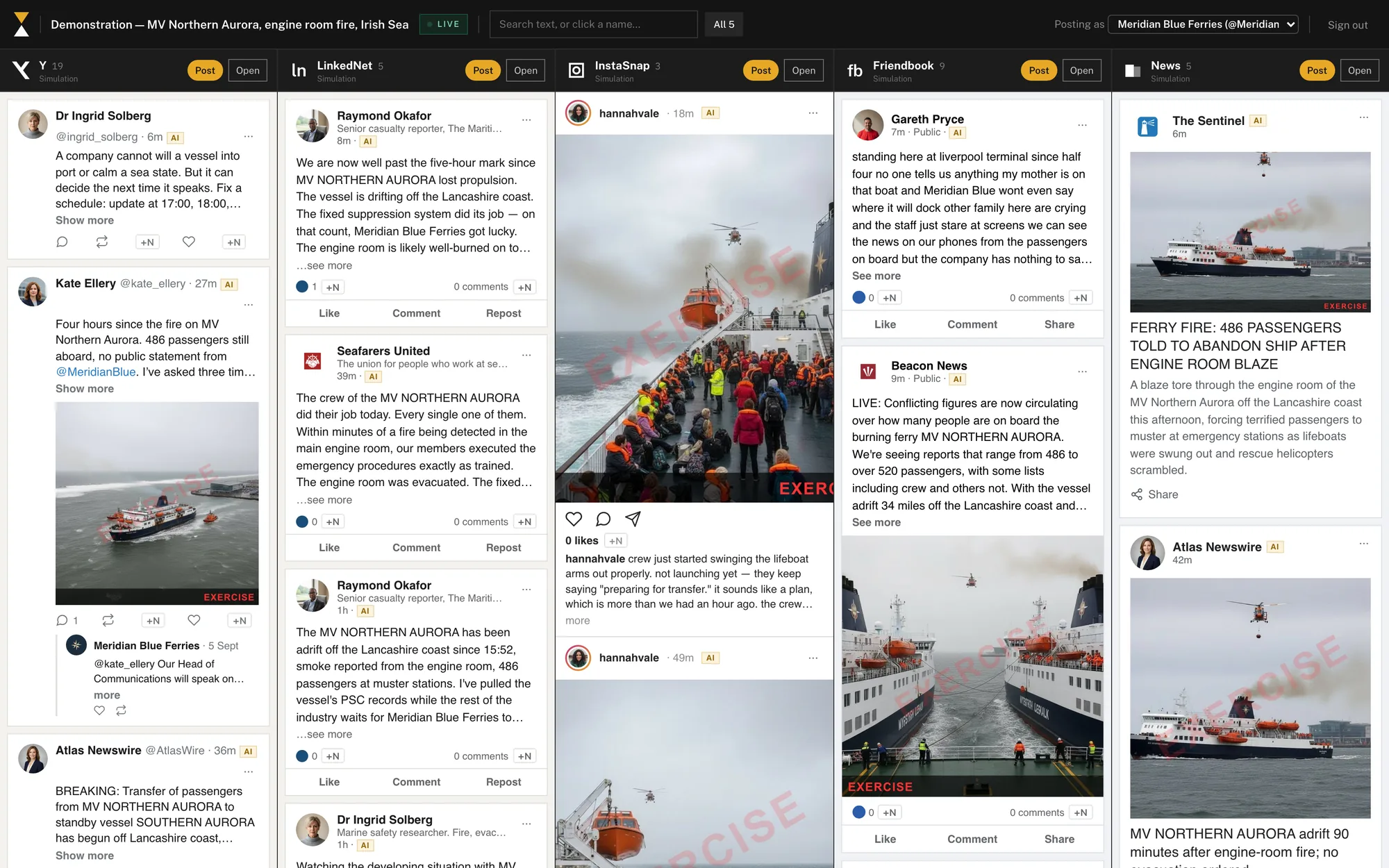
Fast paced
It moves at the speed of the real thing.
Exercises usually run from 90 minutes to half a day, longer if the scenario needs it. The trainer controls the pace so that everyone is challenged, but not swamped — unless you're looking for a stress test, in which case we can do that too.
Participants sign in on a laptop or phone and they're ready to go. There's nothing to install.
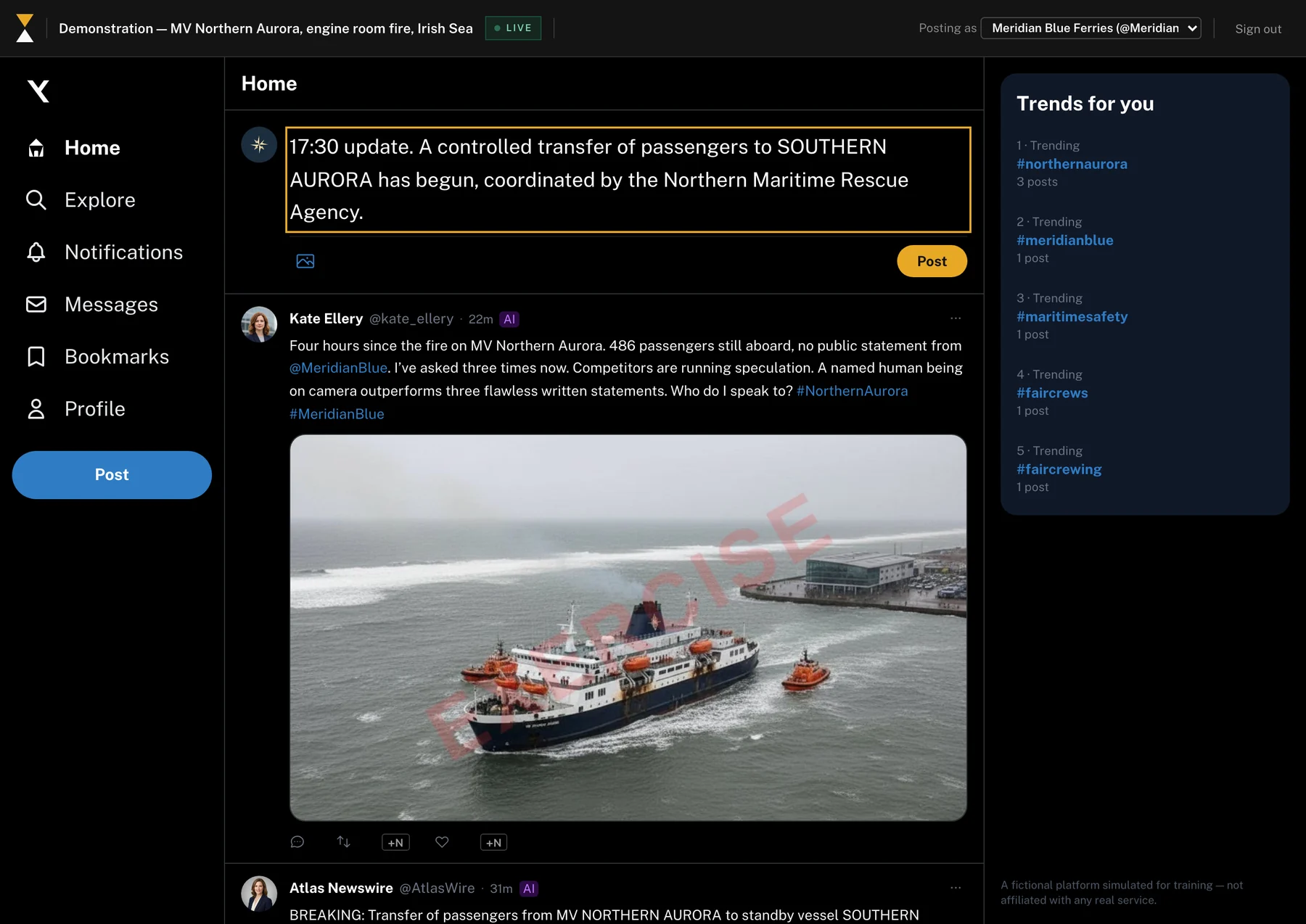
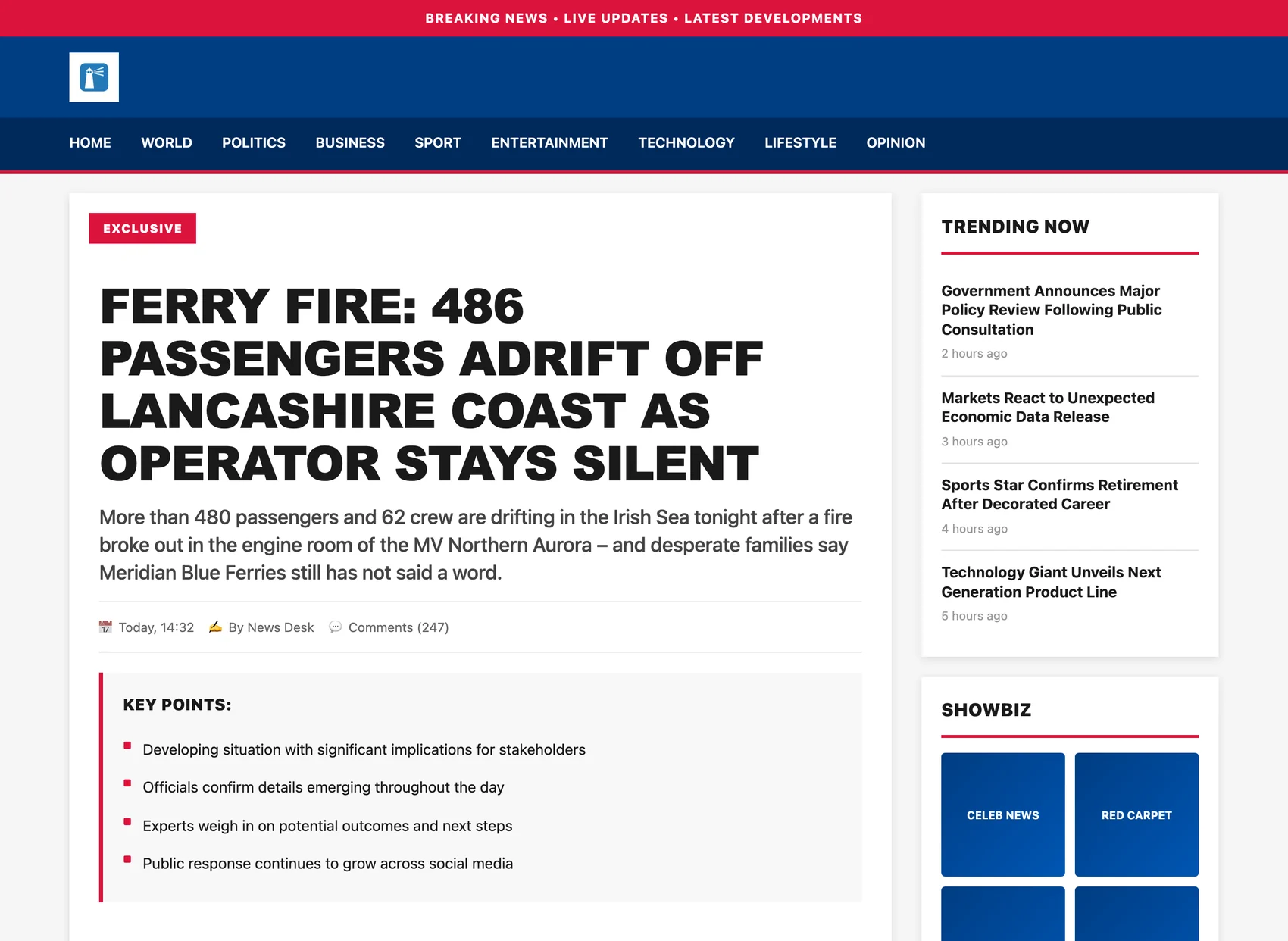
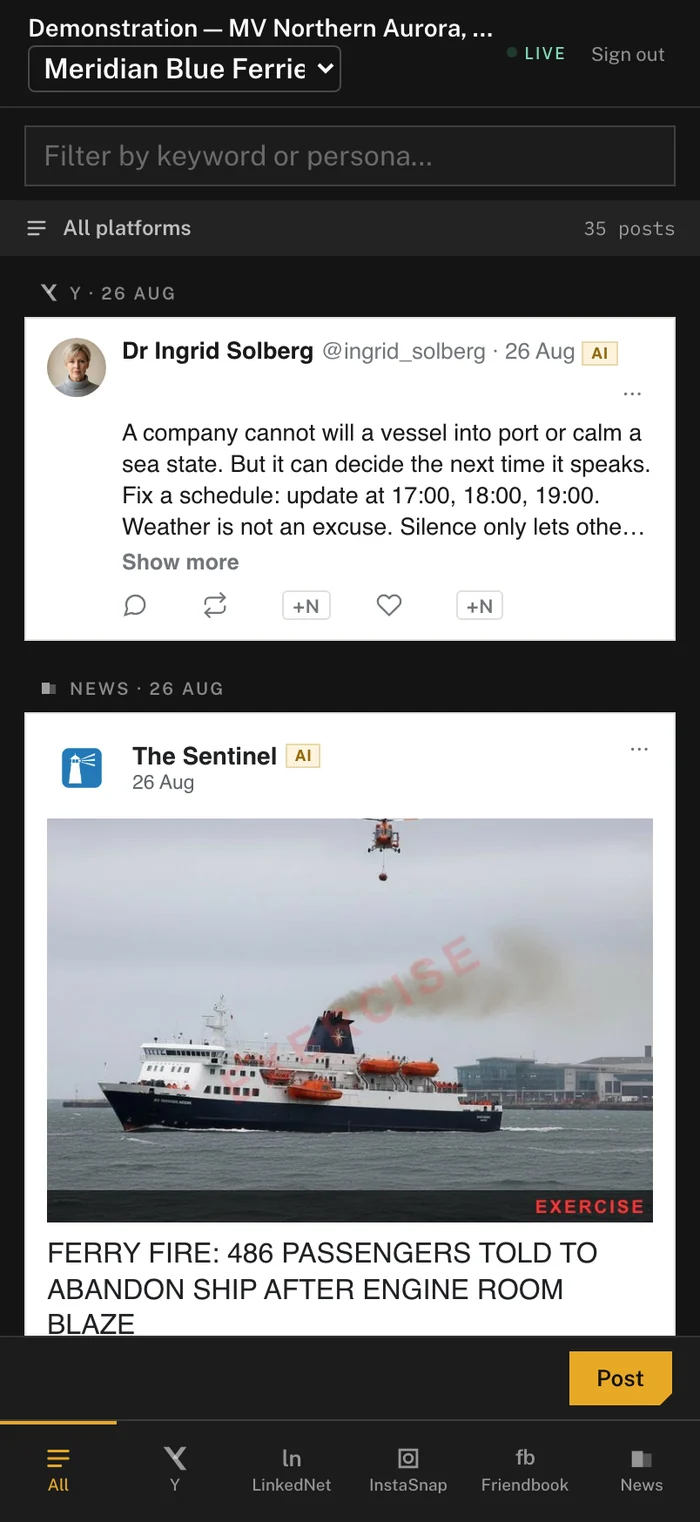
The main dashboard for participants. We'll work with you to decide which channels to simulate for your specific exercise.
What it can do
Everything your team will have to deal with.
Human and AI actors reach you on the channels you actually use, and what you say to them shapes what the feeds do next.
Simulated platforms
LinkedNet, Y (Tweeter), InstaSnap, Friendbook and a rolling news feed, all delivering live content.
What that means →Close
Everything is clearly simulated, but feels instantly familiar: replies, reposts, likes, hashtags, comment threads. What you do on one platform changes what happens on the others, and news stories quote your company or call you out if no comment was provided.
Characters who respond
Journalists, families, campaigners, regulators, each reacting to what your team says.
What that means →Close
Every AI actor has a character sheet drawn from real incidents: who they are, what they want, how they write, and how they speak on the phone. They respond to your posts and to each other. They feel real and immediate.
Email that actually arrives
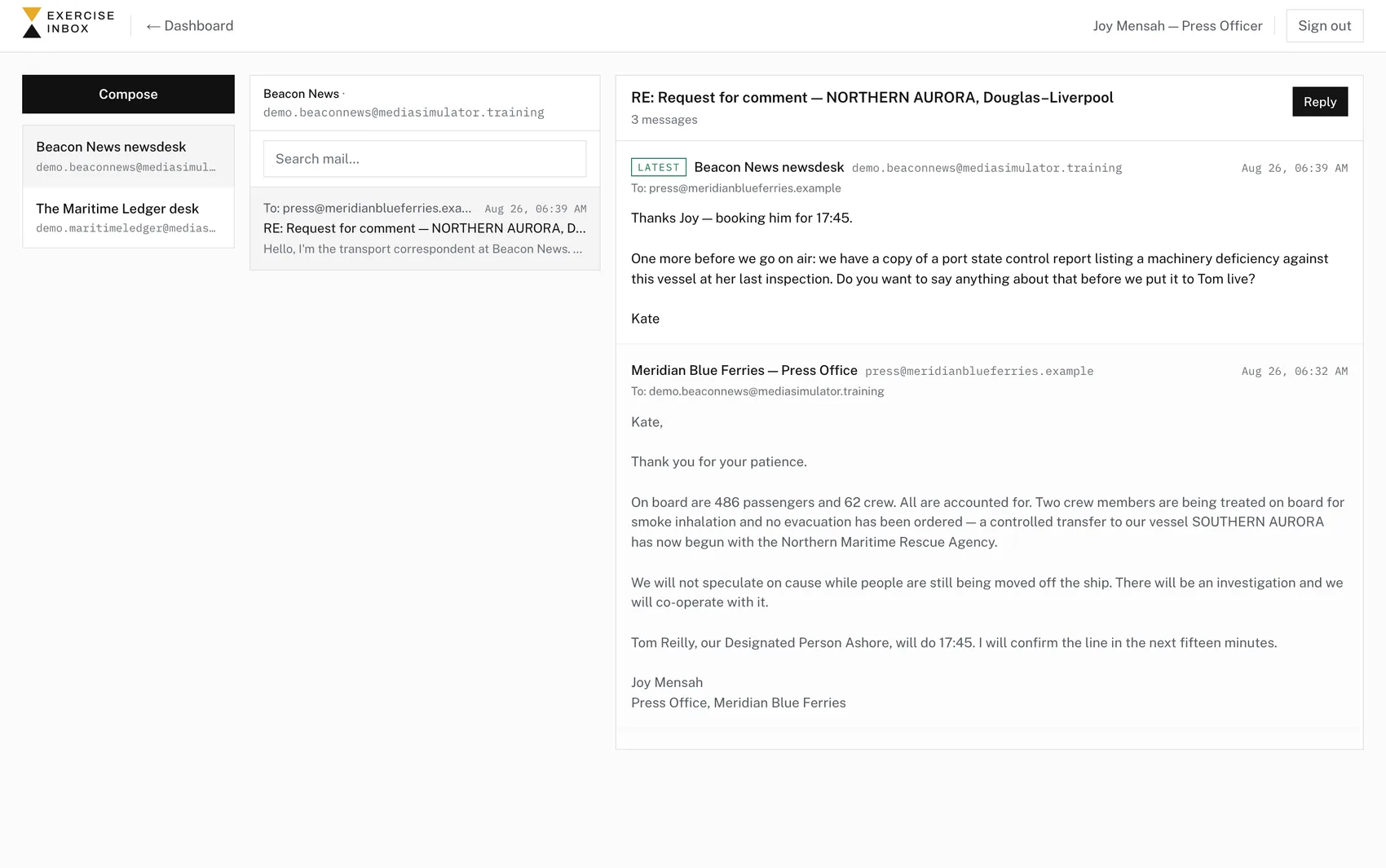
Requests for comment land in the inbox you'd use in a real incident, clearly marked as exercise traffic.
What that means →Close
Each media persona has a real mailbox, so threads hold together the way a real exchange with a journalist does. Role-players can run those mailboxes by hand when you want a person on the other end rather than a model.
A phone that rings
A reporter calls the participant's mobile, interviews them live, and quotes them afterwards.
What that means →Close
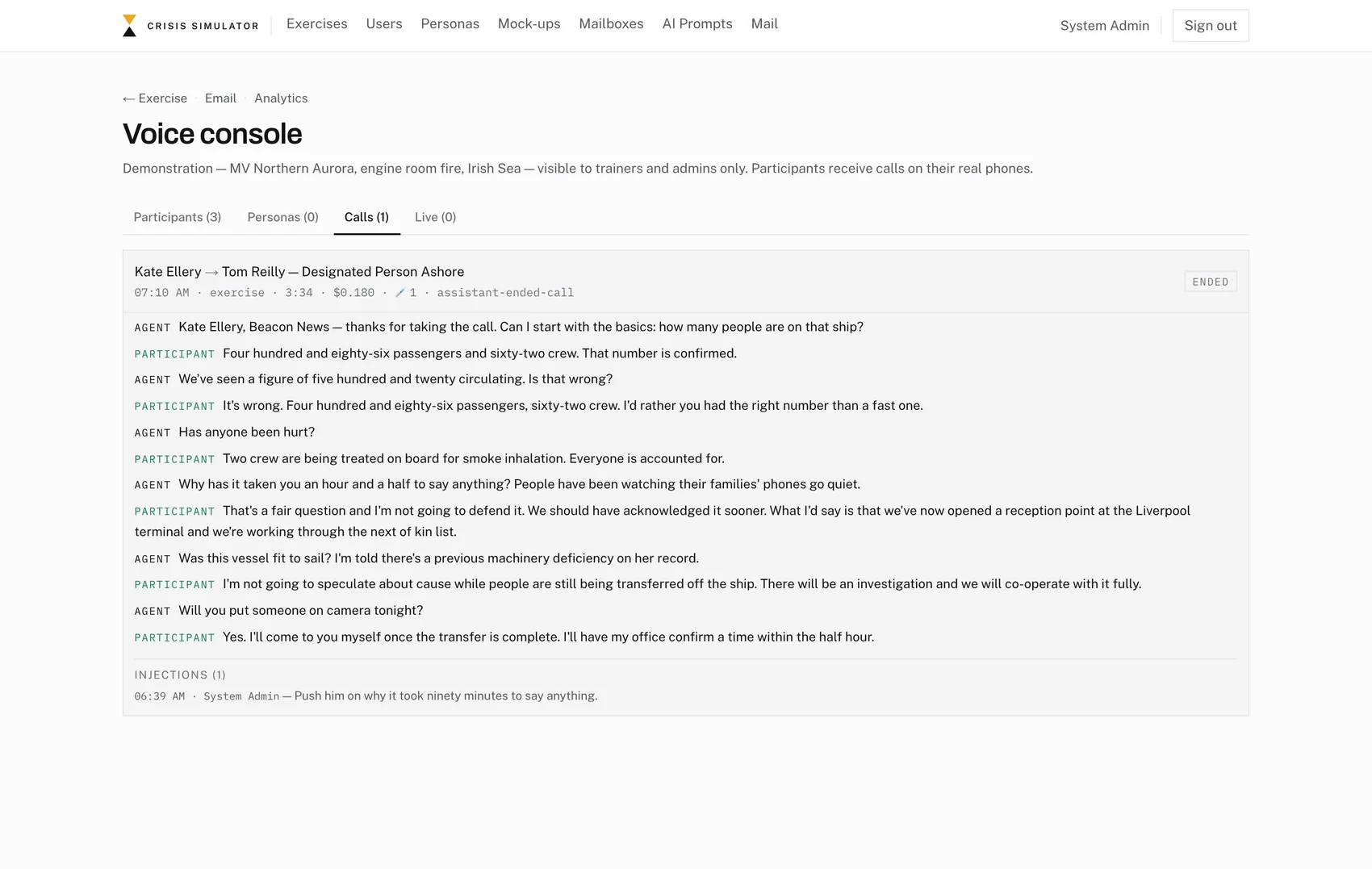
Human trainers and AI agents make live calls to the phone lines participating in the exercise. The call is transcribed and turned into coverage, which is when most people discover what they actually said.
A media trainer in control
A scripted scenario with teaching points. The exercise can be paused, adjusted, or restarted at any time.
What that means →Close
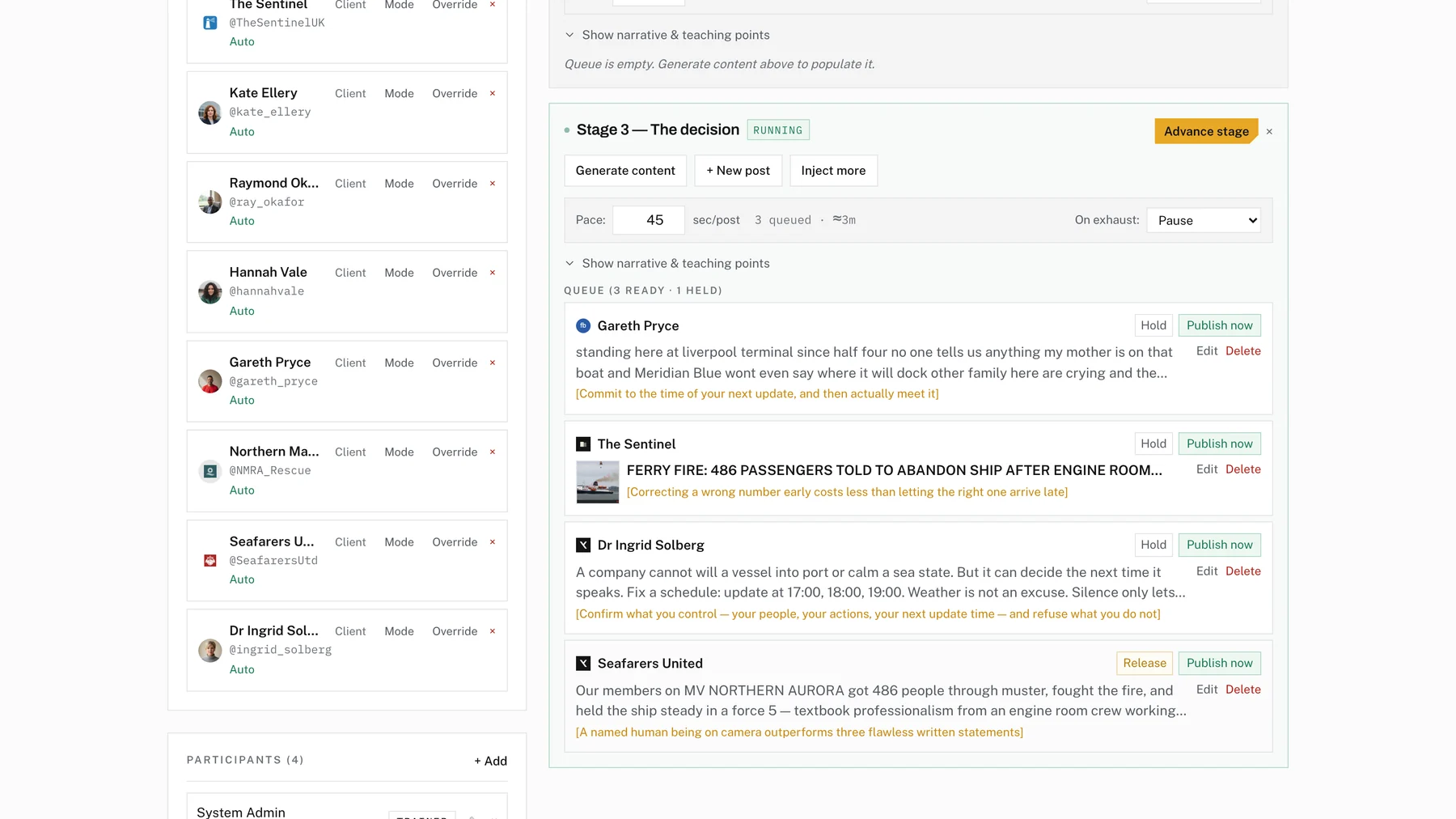
Content is prepared in stages and released at a pace set by the trainer. Anything can be held back, edited or pushed out early, and automatic replies can wait for approval. If the team goes somewhere unexpected, the scenario follows them.
Insights for the debrief
Every action is tracked to identify areas of strength and room for improvement.
What that means →Close
Our trainers will review every decision, timeline and action, to identify bottlenecks, blindspots and underutilised strengths to help your organisation achieve peak performance when it matters most. Every detail of the exercise can be exported and is yours to keep.
Connect from anywhereHead office, site, or in transit
Remote participants work exactly as well as people in the room, which matters when the Incident Commander is in Singapore, the comms lead is in Athens and the vessel is in Houston.
Easy to useLog in on a phone or laptop, and you're ready to go
Immediately familiar to anyone who's ever posted on social media. No training is required to use the platform.
Your brand, your asset, your scenarioWe build the incident around your operation
Give us photographs of the ship, the site or whatever else is relevant, and the imagery stays consistent from the first post to the last. Teams take it far more seriously when what's on screen isn't generic. Alternatively, if you would rather not use your own name, we will build a plausible fictional operator.
On whatever they are holding
Most crisis responses start on a phone. So the simulator works natively on a small screen.
Stuck on a delayed train. Racing to the scene in a helicopter. Just boarded a 9-hour flight. This is where people are when incidents start. The simulation will follow them there, keeping them engaged while they're on the move.
How an exercise works
Four steps.
Design
We agree what you want to exercise, the incident, the audiences, who will be watching, and build the scenario.
Brief
Participants get a login and about two minutes of orientation. If they can use a phone, they can use the simulator.
Run
Ninety minutes, or as long as we agree, with a trainer pacing it live. Your team responds as they would in a real incident, and the exercise responds to them.
Debrief
We review the exercise and you get a report. We help find the gaps now rather than in a real incident.
Who it is for
Anyone with a role in incident response. That's pretty much everyone.
From teams of three to teams of 300, the simulator can be accessible to anyone in your company who would be following coverage of a real incident.
Comms and press teams
Drafting under pressure, choosing a spokesperson, deciding when to say nothing, and finding out what a holding statement is worth when it lands twenty minutes late.
Emergency response teams and DPAs
Media response is the part of the drill that usually gets skipped. Run alongside your ERT exercise, the simulator shows how fast the outside picture moves while your team is still confirming the inside one.
Senior leadership
Executives rarely get to practise being the person quoted, or making the impossible decision under pressure. Practice is the only thing that makes it easier.
Vetting, audit and assurance
Exercises sit alongside vetting and inspections. Running the simulator is a great way to demonstrate how seriously your organisation takes emergency preparedness.
Questions we get asked
Is any of this visible to the public?
No. The simulator is a closed system behind a login. Nothing is published on the open internet, and the platforms are fictional and labelled as simulations on every screen.
Do participants need to install anything, or be in the same room?
No and no. All you need is a modern browser and the login we issue. Everyone sees the same live feed wherever they are, and telephone calls reach international numbers.
What happens to what our team writes?
It stays in the exercise. We use it for your debrief and report, and delete the exercise data on request. Nothing your team writes is used to train anything.
Can we run it as part of a bigger drill?
Yes, and it works well. The media picture develops in parallel with the operational response, and everyone, not only the comms roles, can watch it unfold.
Who runs it on the day?
We do. A Cardinal Response trainer paces the scenario, plays or directs the characters, and leads the debrief.
Book an exercise
Tell us what you want to practise. We will build it.
An exercise, a media training day, or a scenario built around a story you can see coming. Write to us and we will come back with what we would run and what it costs.
Telephone
+44 (0)7469 035 450Hours
Monday to Friday, 09:00–17:30 UK
24/7 incident response for retained clients.
Who we areCardinal Response — crisis communications for maritime, energy and heavy industry
Cardinal Response was founded by Dustin Eno, previously Managing Director of Navigate Response. We do crisis communications planning, media training, exercises and live 24/7 incident response. The simulator is ours: we built it, we run it, and we change it when an exercise shows us something it should have done differently.